Your AI workflow is a mess. This is the fix.
Dreamdrive is a Chrome extension for Midjourney that builds detailed prompts from simple dropdowns, auto-saves every prompt into project folders, and keeps your style references (--sref codes) in one reusable vault.
/imaginea lighthouse keeper's cat in a raincoatDream it5 free credits on sign-up. No subscription needed to try.
- Rated 5.0 on the Chrome Web Store
- Works right inside midjourney.com
- Set up in under a minute
- Built by AI creatives in Stockholm
Sound familiar?
Every Midjourney power user hits the same three walls. Dreamdrive removes all of them.
“Where was that prompt?”
The one that nailed it last week is buried somewhere in hundreds of jobs. So you rebuild it from memory, and it never quite matches.
Staring at a blank prompt
You know the image in your head, but not the words Midjourney needs: shot type, angle, lens, lighting, style.
Every image looks different
A campaign needs ten images that belong together. Without your style codes to hand, consistency is luck.
Watch a rough idea become a pro prompt
This is a simplified preview of Dreamtune. Pick a few options and see the prompt build itself. The extension has far more parameters across six groups.
Three tools. One calm, organised workflow.
Dreamdrive lives inside midjourney.com, so everything happens where you already create.
01Dreamtune
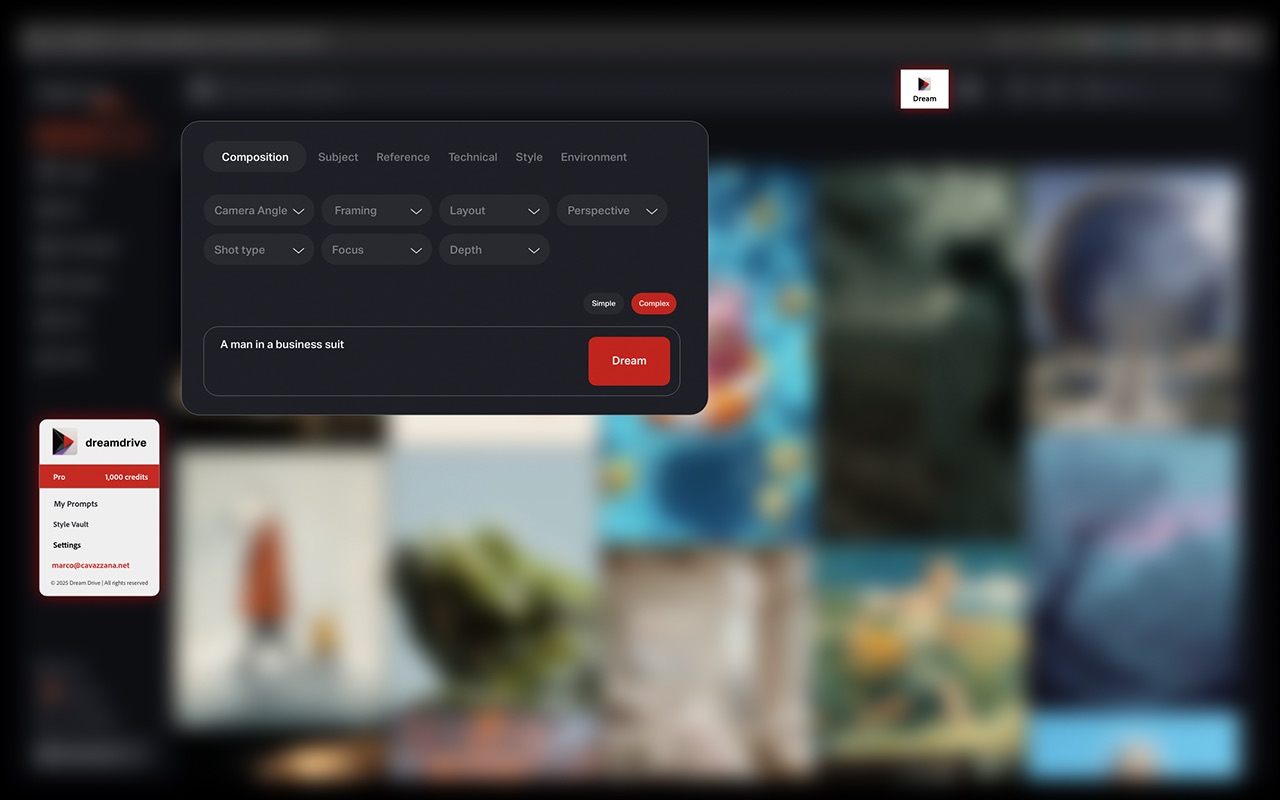
Dreamtune: from rough idea to a complete prompt
Type a plain idea like “a man in a business suit”, then shape it with dropdowns grouped into Composition, Subject, Reference, Technical, Style and Environment: camera angle, framing, layout, perspective, shot type, focus, depth and more. Switch between Simple and Complex output, press Dream, and Dreamtune writes the full Midjourney prompt for you.
- Six groups: Composition, Subject, Reference, Technical, Style, Environment
- Camera angle, framing, shot type, focus, depth and more
- Simple or Complex output, one click to generate
02My Prompts
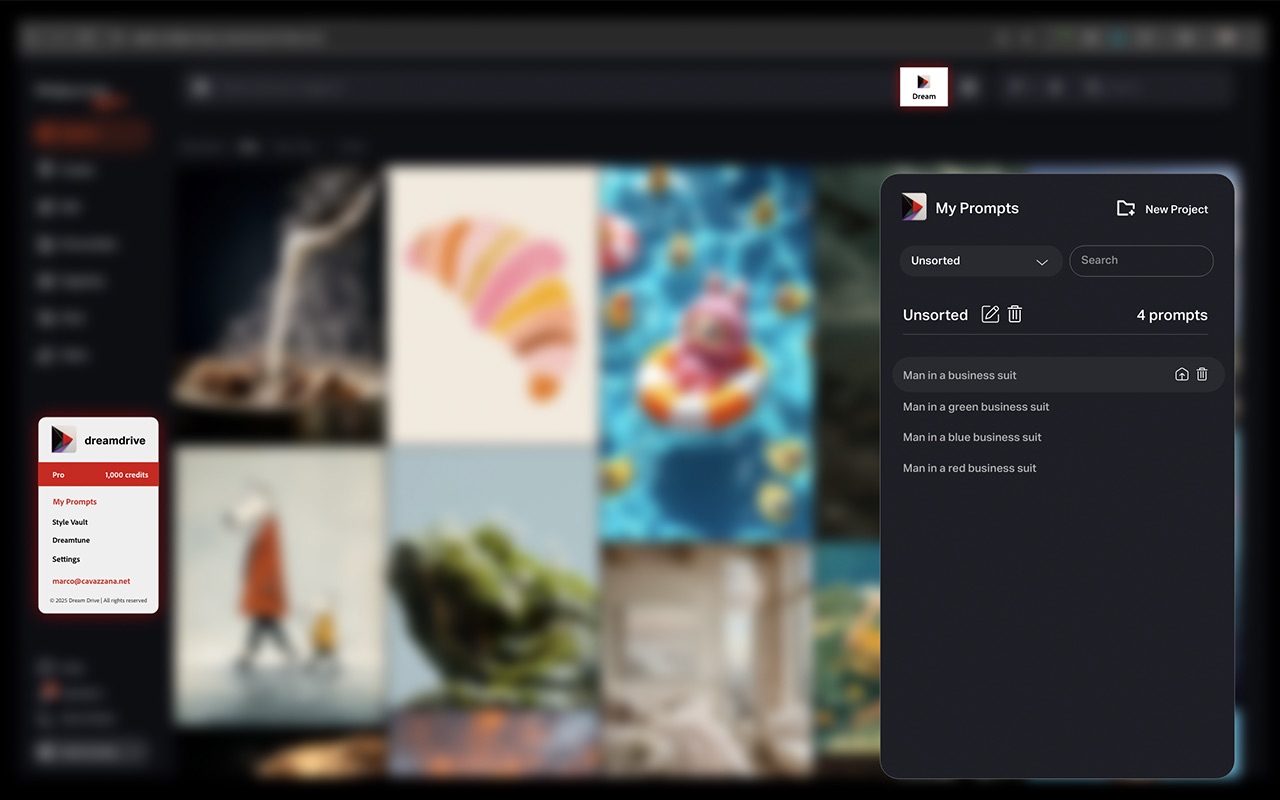
My Prompts: every prompt saved and sorted
Every prompt you create is saved automatically. Group prompts into projects, search them, rename or delete them, and send any saved prompt back to Midjourney with one click. No more scrolling through old jobs or pasting prompts into notes apps.
- Every prompt saved automatically, no copy-pasting
- Project folders, search, rename and tidy up
- Send any saved prompt back to Midjourney in one click
03Style Vault
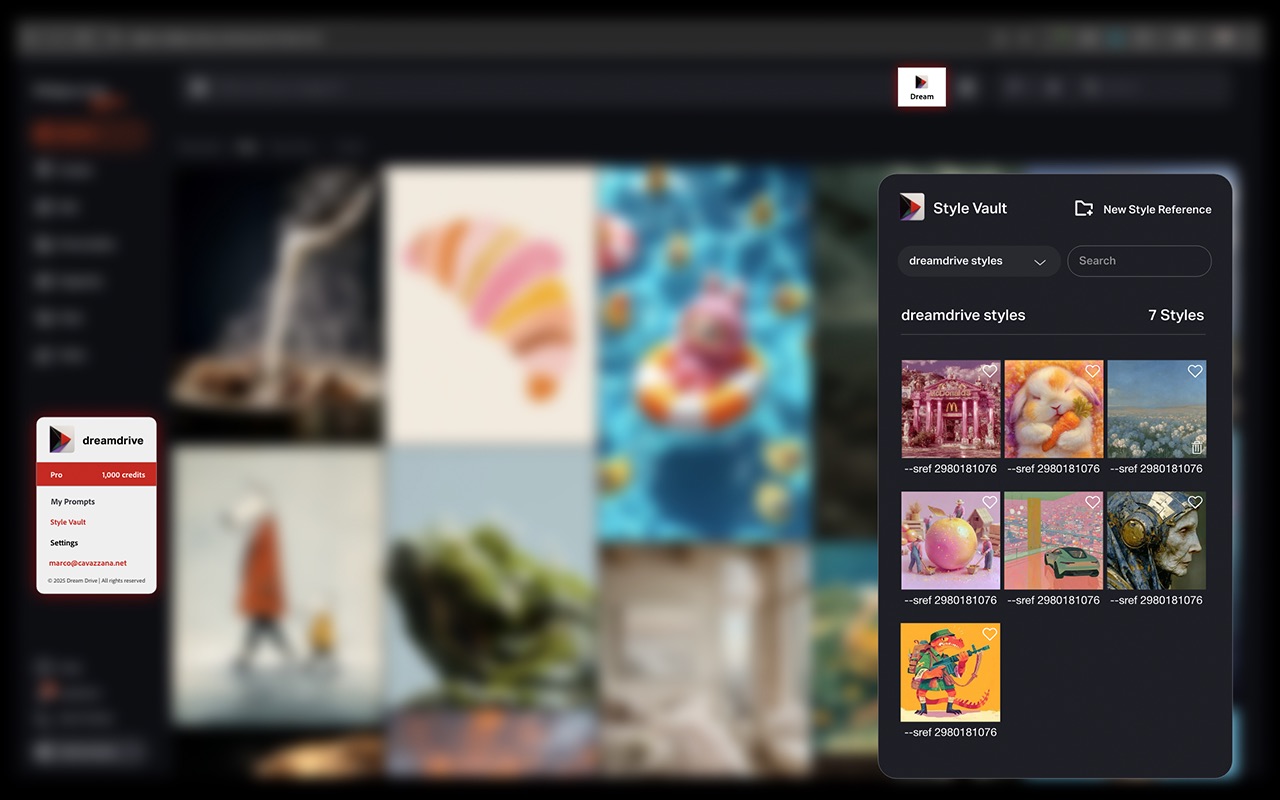
Style Vault: consistent looks on demand
Save your own style references (--sref codes) next to a preview image, organise them into collections, and favourite the ones you reuse. Or browse the Dreamdrive library of 1,000+ curated styles to get a consistent, professional look across a whole series of images.
- Save --sref codes with a preview image
- Collections and favourites for your go-to looks
- A library of 1,000+ curated styles to start from
See it in action
A three-minute walkthrough of Dreamtune, My Prompts and the Style Vault on midjourney.com.
Up and running in under a minute
No setup and no learning curve. If you can use Midjourney, you can use Dreamdrive.
Add to Chrome
Install Dreamdrive from the Chrome Web Store. It takes under a minute.
Open midjourney.com
Log in to Midjourney in the same browser. Dreamdrive appears inside the Midjourney site.
Create an account
Sign up in the extension and your 5 free credits are ready straight away.
Dream
Build your first prompt with Dreamtune, paste it into Midjourney and see the difference.
Simple, fair pricing
Start free. Upgrade when Dreamdrive has earned it. Current prices are shown inside the extension.
Free
Try the prompt builder with no commitment.
- 5 free credits on sign-up
- 1 credit = 1 Dreamtune prompt
- No subscription needed
Pro subscription
Everything you need for a professional Midjourney workflow.
- Monthly credit allowance for Dreamtune
- My Prompts: every prompt saved and organised
- Style Vault with 1,000+ curated styles
- New platforms as they launch (Kling AI, Runway, Luma AI in development)
Credit Packs
Need more prompts this month? Add credits once, no plan change.
- One-time purchase
- Works with Free or Pro
- Unused subscription credits don't roll over, so packs fill the gap
What is Dreamdrive?
Is Dreamdrive free to try?
How do credits work?
Do I need a subscription to use all the features?
I installed the extension but can't see it. Where is it?
Does Dreamdrive only work with Midjourney?
Is Dreamdrive made by Midjourney?
Which browsers are supported?
How do I get started?
Stop managing. Start creating.
Join creators who build better Midjourney prompts in seconds and never lose one again. Your first 5 prompts are on us.
Add to Chrome, it's freeFree to try · Chrome desktop · Not affiliated with Midjourney, Inc.